This process configures the PAX base station (L920, L8900...) to create a private Wi-Fi network that only the terminal uses, providing the terminal with a fast, stable internet connection via the base's LAN port.
Once you connect to the base through Bluetooth, you can change the SSID and set up a dedicated password to the base for increased security.
Minimum version: Pay On Site 4.1.2
Step 1: Prepare the Base Station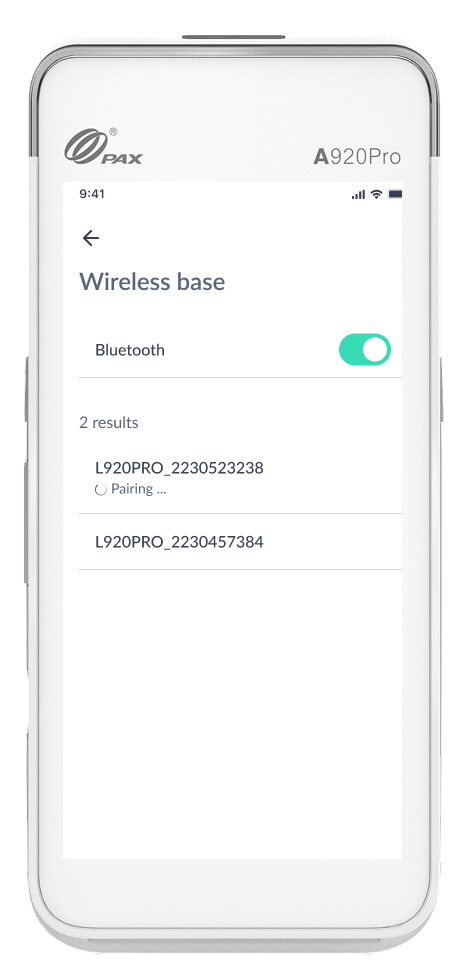
This step ensures the base is powered and connected to the internet via Ethernet.
Power: Plug the power adapter into the base station.
LAN Connection: Plug an Ethernet cable (RJ45) into the LAN port on the back of the base station.
Check Status: Base’s LAN indicator light should be active (often green or blinking).
Step 2: Connect to Wi-Fi
Power: Put the PAX device on the Base and power-on the device.
-
Activate bluetooth: from Pay On Site application
Settings > Wireless Base
Activate bluetooth
-
Connect to base
Select base you want to connect to; it includes your base serial number
-
Enter password if needed
A8900: automatically connects to Wi-Fi (it is the 10-digit Serial Number automatically retrieved from the terminal)
A920Pro: enter 9876 as default password.
You can verify internet connection using the Diagnostic menu.